How Technology Can Help Small Businesses Grow Faster
A Practical Guide to Digital Transformation for Growing Businesses
Introduction
Running a small business involves more than selling products or providing services. Business owners also manage customers, employees, stock, billing, suppliers, payments, and daily reports.
When a business is small, notebooks, Excel sheets, phone calls, and WhatsApp messages may seem enough. But as the business grows, these methods can become difficult to manage. Information may be missed, records may become confusing, and employees may spend too much time doing repeated work.
Technology can make these tasks easier.
Digital transformation means using suitable digital tools to improve the way a business works. It does not mean buying every new software product. It means choosing practical solutions that save time, organize information, and support business growth.

- Digital tools help reduce manual work.
- A website improves online visibility and customer communication.
- ERP, HRMS, and CRM help organize business activities.
- AI and automation save time on repetitive tasks.
- Cloud software supports access, teamwork, and business growth.
- Businesses should choose technology based on their actual needs.
1. What Is Digital Transformation?
Digital transformation is the process of using technology to improve business activities.
For a small business, it may begin with a simple website, digital billing system, inventory software, or customer management tool.
Digital transformation can include:
- Business websites.
- Online billing.
- Inventory management.
- Customer relationship management.
- Employee attendance and payroll support.
- Cloud applications.
- Automated reports.
- AI-based customer support.
- Digital payment and communication tools.
For example, a retail shop may first introduce digital billing. Later, it may add stock management and customer records.
The goal is to make work easier, faster, and more organized.
2. Why Small Businesses Need Technology
Small businesses often have limited staff and resources. One employee may handle several tasks every day.
Without proper digital tools, employees may need to:
- Search through old messages.
- Prepare invoices manually.
- Check stock by calling different people.
- Track customer follow-ups in notebooks.
- Prepare reports using multiple files.
- Calculate attendance and salary details manually.
These tasks take time and may lead to mistakes.
A suitable digital system can bring important information into one place. Employees can find details faster, managers can monitor work more easily, and business owners can focus on customers and growth.
A business may need digital support when billing is slow, customer enquiries are missed, stock records are incorrect, or reports take too much time to prepare.
3. Building a Strong Online Presence
A professional website helps customers learn about a business before contacting the company.
A website can display:
- Company information.
- Products and services.
- Contact details.
- Business location.
- Customer reviews.
- Enquiry forms.
- WhatsApp and call buttons.
- Product catalogues.
- Blog articles.
For example, a customer may visit a website after business hours to check services or submit an enquiry. The business team can respond later without losing the customer’s interest.
An effective website should be:
- Mobile-friendly.
- Easy to navigate.
- Fast to load.
- Simple to understand.
- Clear about the company’s services.
- Easy to contact.
A website should not only look attractive. It should also help visitors find information and take the next step.
4. Managing Business Operations with ERP
As a business grows, managing purchases, sales, stock, suppliers, and billing through separate files becomes difficult.
Enterprise Resource Planning software, or ERP, helps connect these activities through one system.
ERP may include:
- Purchase management.
- Sales management.
- Inventory management.
- Supplier records.
- Billing and invoicing.
- Product management.
- Branch management.
- Reports and dashboards.
Imagine a business with two branches. A customer asks whether a product is available at another branch. With a connected ERP system, employees may be able to check stock information without making several phone calls.
ERP can help reduce repeated data entry, improve stock visibility, organize records, and support better reporting.
The best ERP is not the one with the most features. It is the one that matches the business’s actual workflow.
5. Simplifying Employee Management with HRMS
Managing employee records becomes harder as the team grows.
A Human Resource Management System, or HRMS, helps businesses organize employee information in one place.
Common HRMS features include:
- Employee profiles.
- Attendance tracking.
- Leave management.
- Shift schedules.
- Payroll support.
- Department records.
- Employee reports.
For example, an employee can submit a leave request through the system. The manager can approve it, and the HR team can maintain the record without checking messages or paper forms.
HRMS can reduce paperwork, improve attendance tracking, and make employee management more organized.
Payroll and compliance information should still be reviewed carefully according to company policies and applicable requirements.
6. Improving Customer Relationships with CRM
Customer enquiries can come through websites, phone calls, WhatsApp, social media, or direct visits.
When these enquiries are stored in different places, sales teams may forget follow-ups.
Customer Relationship Management software, or CRM, helps organize customer details and sales activities.
A CRM system may include:
- Customer contact details.
- Enquiry records.
- Follow-up reminders.
- Quotations.
- Sales stages.
- Communication history.
- Customer service requests.
For example, if a customer asks for a quotation but does not confirm the order immediately, CRM software can remind the sales team to follow up.
CRM helps businesses respond more consistently, track sales opportunities, and build better customer relationships.
7. Using AI, Automation, and Cloud Technology
AI and automation can help businesses reduce repetitive work.
Practical uses include:
- Answering common customer questions.
- Preparing simple summaries.
- Extracting information from documents.
- Sending reminders.
- Generating reports.
- Sending invoice notifications.
- Updating order status.
- Assigning tasks to employees.
Not every business needs advanced AI. Even simple automation can save time when a task is repeated regularly.
Cloud technology also supports business growth by allowing authorized users to access applications and information through internet-connected devices.
Cloud systems may support:
- Remote access.
- Team collaboration.
- Online applications.
- Data backups.
- Centralized reports.
- Multi-branch operations.
Businesses should use strong passwords, role-based access, backups, and secure hosting to protect important information.
8. Common Mistakes to Avoid
Choosing Software Without Understanding the Problem
First identify the business problem. Do not choose software only because it is popular.
Changing Everything at Once
Introducing too many systems together may confuse employees. Start with one important improvement.
Ignoring Employee Training
Employees need clear instructions and practical training to use new software confidently.
Focusing Only on Design
A system should not only look good. It should also be reliable, easy to use, and suitable for the business workflow.
Forgetting Security
Customer details, employee records, and financial information should be protected through proper access control and regular backups.
Not Clarifying Support Terms
Before starting a software project, discuss source code ownership, data ownership, hosting, maintenance, support, and future updates.
9. How to Get Started
Businesses can begin their digital transformation journey through a few simple steps.
Step 1: Identify the Biggest Problem
Find out which task takes the most time or creates the most mistakes.
Step 2: Set a Clear Goal
The goal may be to reduce billing time, improve stock visibility, organize employee records, or increase customer follow-ups.
Step 3: Choose the Right Solution
Depending on the need, the solution may be a website, ERP, HRMS, CRM, cloud application, or custom software.
Step 4: Start with Essential Features
Begin with the features that solve the main problem. More features can be added later.
Step 5: Train the Team
Make sure employees understand how to use the system in their daily work.
Step 6: Review the Results
Collect feedback and improve the system as the business grows.
Key Questions & Answers
Final Thoughts
Technology can help small businesses manage daily work with less confusion and more confidence.
A website can improve online visibility. ERP can organize business operations. HRMS can simplify employee management. CRM can support customer follow-ups. AI, automation, and cloud technology can save time and improve access to information.
The important thing is to choose technology based on real business needs.
Start with one problem, select a practical solution, train your team, and improve gradually.
At Intouch Global Tech, we help businesses build practical digital solutions through websites, custom software, ERP, HRMS, CRM, automation, and cloud-based applications.
Have a business process that needs improvement? Contact Intouch Global Tech and let’s discuss the right solution for your business.
Related Industry Insights

Custom Software vs Off-the-Shelf Software: Which Is Right for Your Business?
Compare custom software and off-the-shelf software based on cost, flexibility, scalability, integrations, and your business requirements.
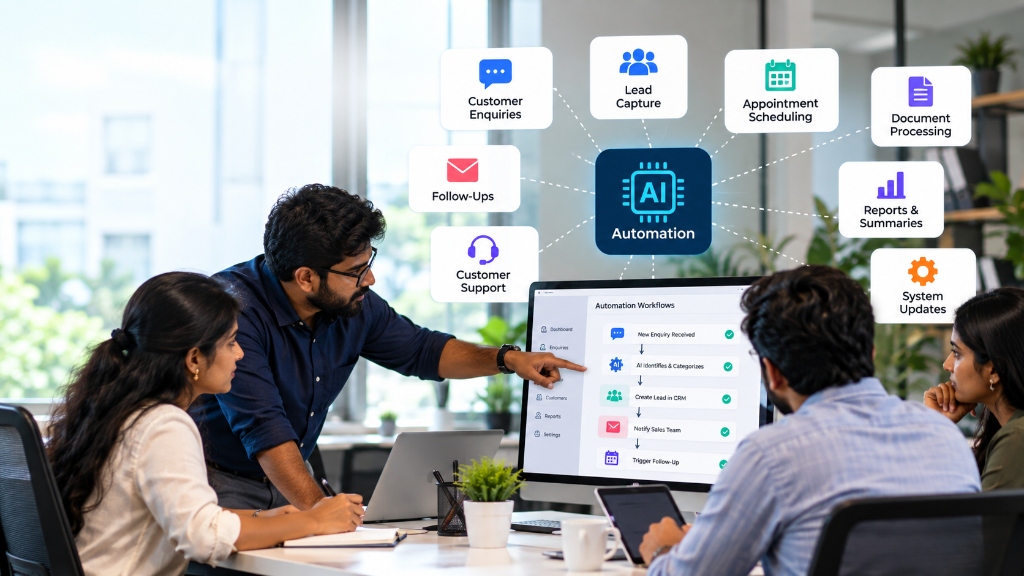
AI Automation for Businesses: 10 Tasks You Can Automate Today
Explore 10 business tasks you can automate with AI, from customer enquiries and lead follow-ups to documents, reporting and CRM updates.
Ready to Scale Your Business Systems?
Speak directly with our engineering architects to discuss custom ERPs, websites, and business software with 100% complete source code ownership.