Custom Software vs Off-the-Shelf Software: Which Is Right for Your Business?
A Practical Comparison to Help You Choose the Right Software Approach
Introduction
Choosing software for a business can seem simple at first. Find a tool, check the features, compare the price, and get started.
But as a business grows, software decisions become more important. A system that worked well for a small team may start creating limitations when the number of employees, customers, products, or daily operations increases.
This is where businesses often find themselves comparing custom software vs off-the-shelf software.
The right choice depends on more than price. Your business processes, future plans, integrations, level of customization, and the problems you are trying to solve all matter.
Choosing the right software starts with understanding your business requirements.

- Off-the-shelf software is ready-made and designed to serve a broad range of businesses.
- Custom software is developed around specific business requirements and workflows.
- Ready-made software can be useful when your requirements are common and straightforward.
- Custom development becomes more relevant when existing software creates limitations or workarounds.
- The cheapest option at the beginning may not always be the most practical option over time.
- The decision should consider cost, flexibility, scalability, integrations, maintenance, and business goals.
1. What Is Off-the-Shelf Software?
Off-the-shelf software is a ready-made application developed for a wide range of users.
Instead of building a system from scratch, a business selects an existing product and uses the features and configuration options provided by the software vendor.
Common examples include accounting platforms, project management tools, CRM systems, communication platforms, inventory applications, and billing software.
For businesses with straightforward requirements, this approach can be practical because there is no need to begin a development project before using the software.
Why businesses choose it
Off-the-shelf software can offer:
- Faster implementation
- Lower initial investment
- Existing features
- Vendor support
- Regular product updates
- Pre-built integrations
- Established user interfaces
For example, a small business that needs basic invoicing may not need a completely new application. An existing accounting or billing platform could provide everything the team needs.
The important question is whether the available features actually match the way the business operates.
2. What Is Custom Software?
Custom software is developed specifically around the requirements of a particular business or group of users.
Instead of asking employees to change their processes to fit an existing application, the software can be designed around the company’s actual workflow.
A custom business application might include:
- Customer management
- Employee management
- Inventory tracking
- Order processing
- Approval workflows
- Automated notifications
- Business reports
- Payment integration
- Third-party API integration
- Role-based access
The features depend entirely on the business requirements.
A practical example
Consider a growing distributor that manages orders, inventory, customer credit limits, delivery schedules, and internal approvals.
A standard application might handle some of these tasks but require employees to use spreadsheets or another system for the remaining work.
A custom solution could bring those processes into a single application.
That does not mean custom software is automatically the better choice. It means the system can be designed around requirements that may not be available in a standard product.
3. Custom Software vs Off-the-Shelf Software
The biggest difference between the two approaches is how much control and flexibility the business needs.
With off-the-shelf software, the business works with features already created by the vendor.
With custom software, the development process begins with the business requirements and builds the functionality around them.
Here is how they compare across key factors:
- Initial investment — Off-the-shelf: Usually lower. Custom: Usually higher.
- Implementation — Off-the-shelf: Generally faster. Custom: Requires development time.
- Customization — Off-the-shelf: Depends on available options. Custom: Designed around requirements.
- Scalability — Off-the-shelf: Depends on the product. Custom: Can be planned around growth.
- Integrations — Off-the-shelf: Depends on vendor support. Custom: Can be developed for specific needs.
- Updates — Off-the-shelf: Usually managed by vendor. Custom: Managed through development.
- Control — Off-the-shelf: Vendor controls product roadmap. Custom: Greater control over development.
- User experience — Off-the-shelf: Designed for broad users. Custom: Can be designed for specific teams.
Neither approach is automatically suitable for every business.
The better starting point is to understand the business problem, identify the requirements, and then determine which approach can solve them effectively.
4. When Does Off-the-Shelf Software Make Sense?
Off-the-shelf software can be a good fit when a business has common requirements that are already supported by existing products.
For example, if a company needs basic accounting, task management, customer records, or communication tools, there may already be mature solutions available.
It can also make sense when the business needs to start quickly.
A ready-made product can often be configured and introduced to a team without going through a complete software development cycle.
Consider off-the-shelf software when:
- Your requirements are relatively standard.
- You need a solution quickly.
- Your budget does not support a large development project.
- Existing software already provides most required features.
- You do not need extensive customization.
- The required integrations are already supported.
- Your current processes can work comfortably within the available system.
The key is not to choose ready-made software simply because it is familiar or inexpensive.
The software should still solve the actual business problem.
5. When Should You Consider Custom Software?
Custom software becomes worth exploring when existing products start creating more problems than they solve.
This often happens when a business has specialized workflows or needs several systems to work together.
For example, employees may have to enter the same customer information into multiple applications. Another team may rely on spreadsheets because the existing software does not support a particular approval process.
These situations can create unnecessary manual work.
Custom software may be suitable when:
- Your business has unique workflows.
- Existing software requires too many workarounds.
- Several systems need to communicate with each other.
- Manual data entry is taking significant time.
- Your business needs specialized features.
- You require specific reports or dashboards.
- Your processes are expected to evolve as the business grows.
- You need greater control over how the application works.
The goal should not be to build software simply because custom development is possible.
The goal is to solve a business problem that existing solutions cannot address effectively.
Custom software can be designed around specific business workflows and requirements.
6. Looking Beyond the Initial Cost
Cost is usually one of the first things businesses compare.
Off-the-shelf software often has a lower starting cost because the same product is sold to many customers.
Custom software generally requires a larger initial investment because the application is developed specifically for the business.
However, the initial price is only one part of the decision.
A business should also consider:
- Subscription or licensing costs
- User charges
- Customization fees
- Integration costs
- Data migration
- Employee training
- Maintenance
- Additional software
- Manual work
- Process inefficiencies
For example, a business may use several inexpensive tools because each one handles a different task.
Over time, employees may spend considerable effort moving information between those systems.
The individual subscriptions may not seem expensive, but the additional work can become an operational cost.
So instead of asking only “Which software is cheaper?” it is more useful to ask “Which option provides the right value for our business over time?”
7. Questions to Ask Before Choosing
Before selecting a software solution, start by understanding the problem.
What are we actually trying to solve?
Don’t begin with a list of features.
Identify the business problem first. Is the team struggling with manual work, disconnected systems, poor reporting, slow approvals, or difficulty managing customers?
How well do existing products fit our requirements?
Look at what is already available.
If an established product handles most of your requirements without major compromises, building a new system may not be necessary.
How unique are our workflows?
Some businesses operate using processes that are common across their industry.
Others have developed internal workflows that are highly specific to the organization.
The more specialized the process, the more important flexibility may become.
What will we need in the future?
Don’t plan only for today’s requirements.
Consider future employees, customers, locations, products, integrations, reporting requirements, and changes in the way the business operates.
How important are integrations?
Think about the systems your software needs to communicate with.
These might include:
- Payment gateways
- Accounting systems
- CRM platforms
- ERP systems
- Inventory software
- Email services
- Internal databases
- Customer portals
Understanding these requirements early can prevent expensive changes later.
8. A Practical Decision Checklist
There is no universal formula for choosing between custom and off-the-shelf software.
However, the following checklist can make the decision easier.
Off-the-shelf software may be suitable if:
- Your business requirements are standard.
- You need a solution quickly.
- Existing products already solve your main problem.
- Your team does not require extensive customization.
- Available integrations meet your needs.
- You want to minimize initial development work.
Custom software may be worth considering if:
- Your business processes are highly specific.
- Existing applications require frequent workarounds.
- Multiple systems need to work together.
- Manual processes are slowing your team down.
- You require specialized features.
- Your business expects significant growth or process changes.
- Existing products cannot provide the level of control you need.
Use this as a starting point rather than a final answer.
A proper requirements assessment should come before a major software investment.
Key Questions & Answers
Final Thoughts
The decision between custom software and off-the-shelf software should begin with your business—not with the software itself.
If your requirements are common and an existing product handles them well, an off-the-shelf solution may be practical.
If your business relies on specialized workflows, multiple integrations, automation, or processes that existing products cannot handle effectively, custom software may be worth exploring.
Before making a decision, map your current processes, identify the problems you want to solve, compare the long-term costs, and think about where your business is heading.
The right software should make everyday work easier, connect the processes that matter, and give your team room to grow.
At Intouch Global Tech, we help businesses develop technology solutions based on their specific requirements. From custom business applications and web platforms to integrations and automation, the process starts with understanding your business and the problems you want to solve.
Have a software requirement? Talk to the Intouch Global Tech team about your project.
Related Industry Insights

How Technology Can Help Small Businesses Grow Faster
Learn how websites, ERP, CRM, HRMS, and automation help small businesses save time, reduce errors, and grow faster.
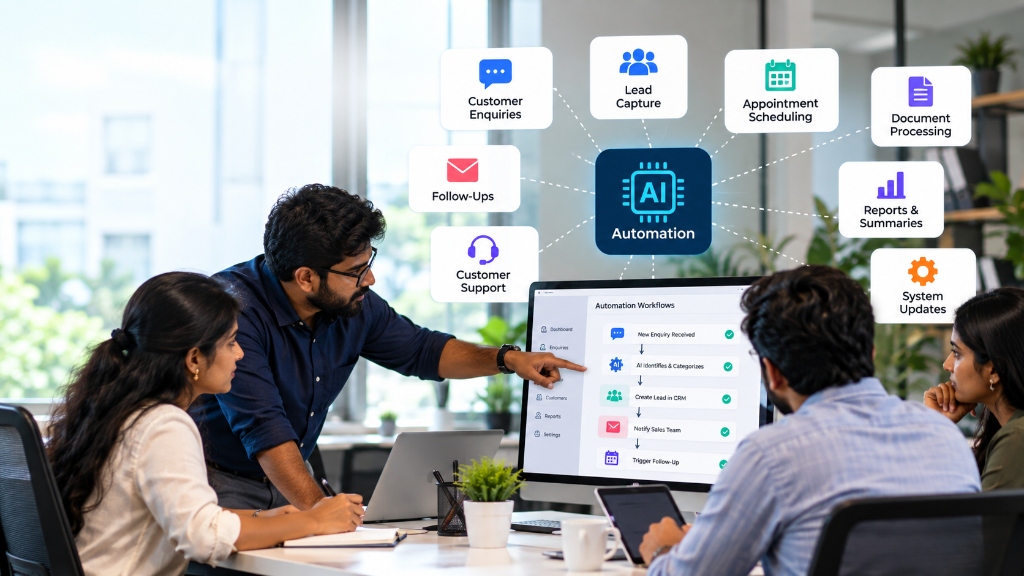
AI Automation for Businesses: 10 Tasks You Can Automate Today
Explore 10 business tasks you can automate with AI, from customer enquiries and lead follow-ups to documents, reporting and CRM updates.
Ready to Scale Your Business Systems?
Speak directly with our engineering architects to discuss custom ERPs, websites, and business software with 100% complete source code ownership.